

Jobs at every airport
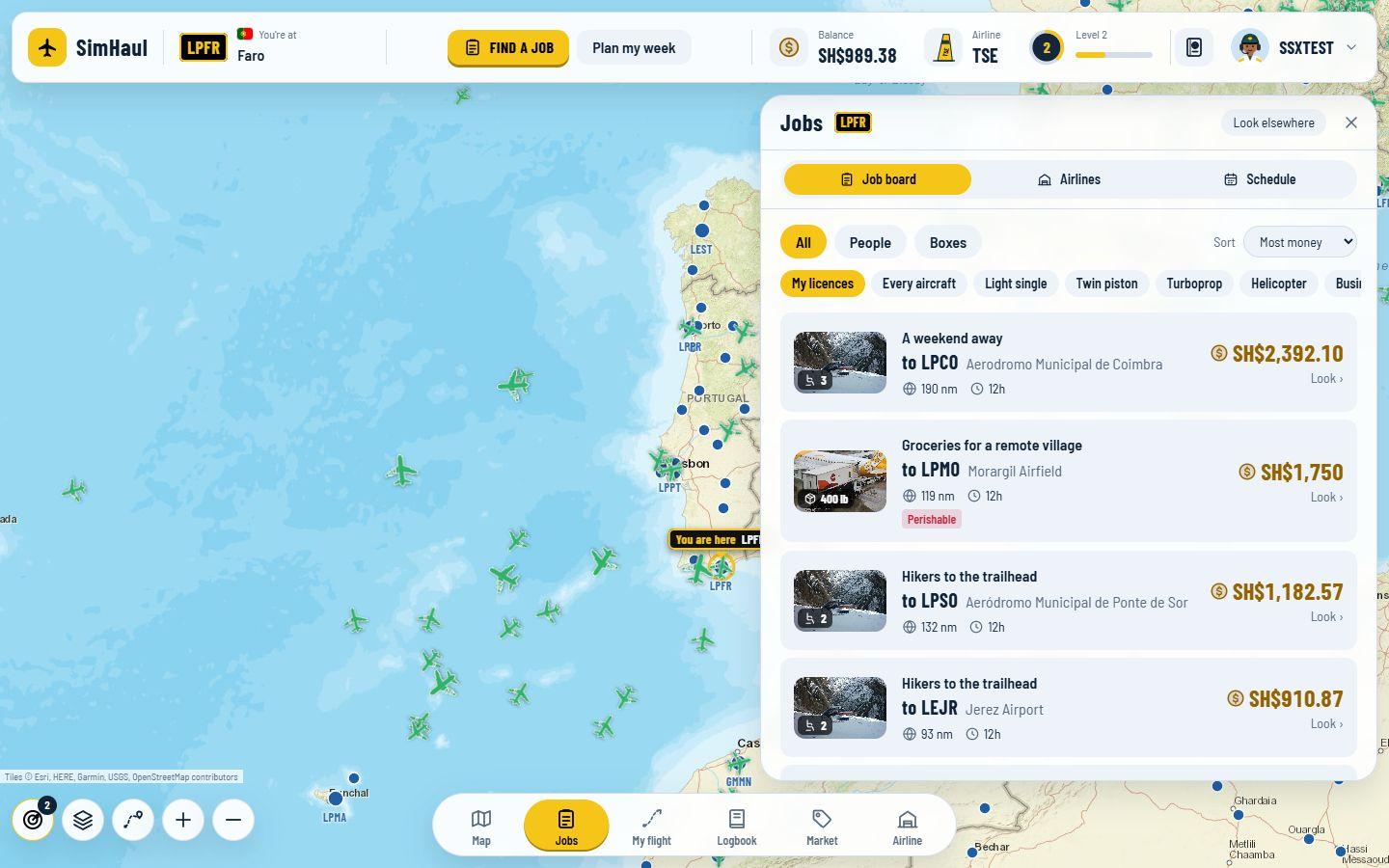
A job board at every airfield in the world, written for the place: newspapers to an island, vaccines to a clinic, a weekend away for three. Over 300 kinds of mission.
Free foreverMSFS 2020 · MSFS 2024 · X-Plane 11 · X-Plane 12
Jobs, airlines, licences, aircraft, fuel prices, schedules, a logbook and a live map, all in one free place. SimHaul tracks your flight, pays you for it and runs the economy around it, so you don't need any other tool to fly a proper career in MSFS or X-Plane.
Windows, macOS and Linux · All downloads
Take a job, fly it in MSFS or X-Plane and get paid when you park. SimHaul does the paperwork of a flying career for you, which leaves you more time to enjoy the flight.
A job board at every airfield in the world, written for the place: newspapers to an island, vaccines to a clinic, a weekend away for three. Over 300 kinds of mission.
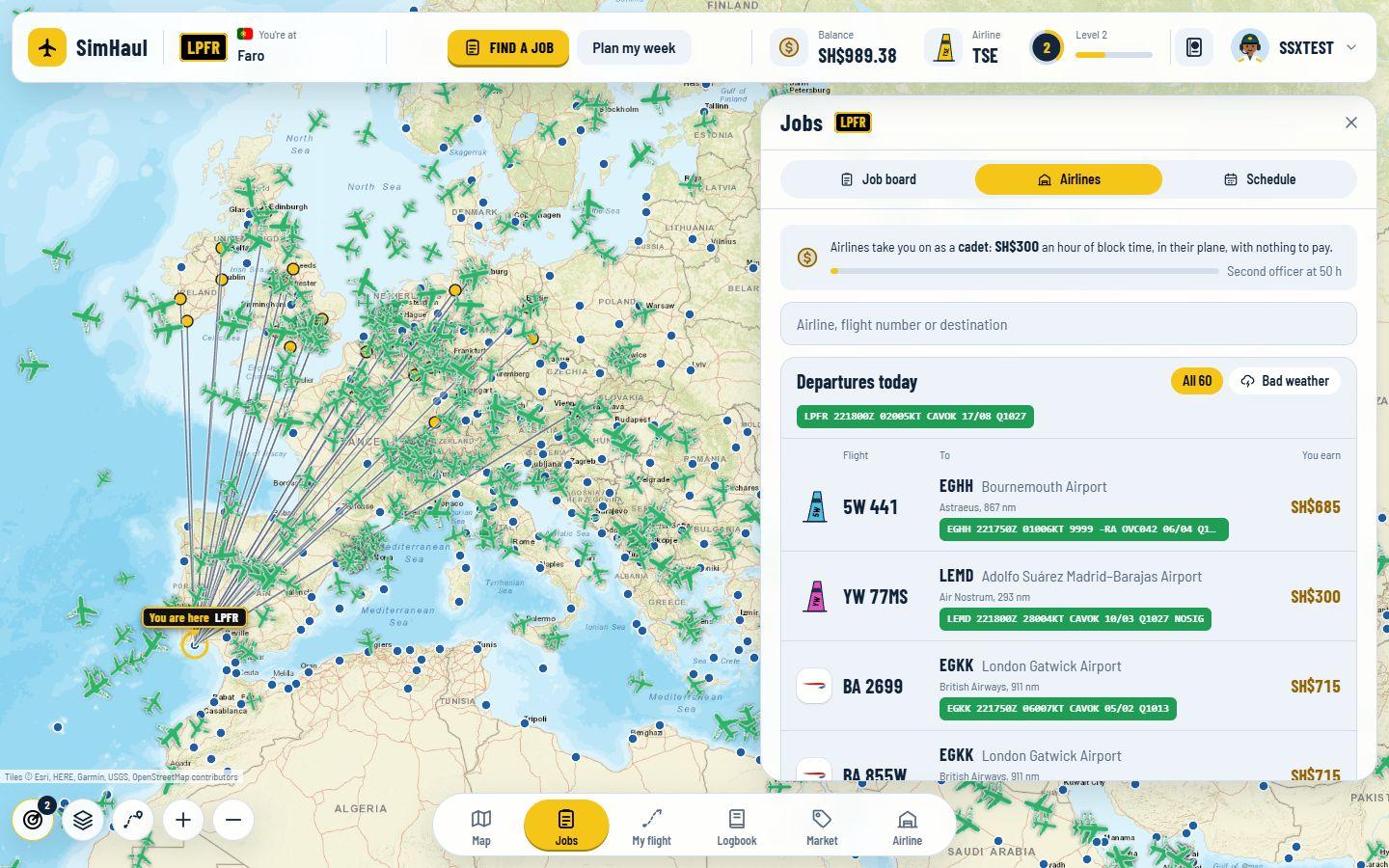
Sign on with real airlines and fly their real routes on their real schedules. Your wage grows with your rank, from cadet to captain.
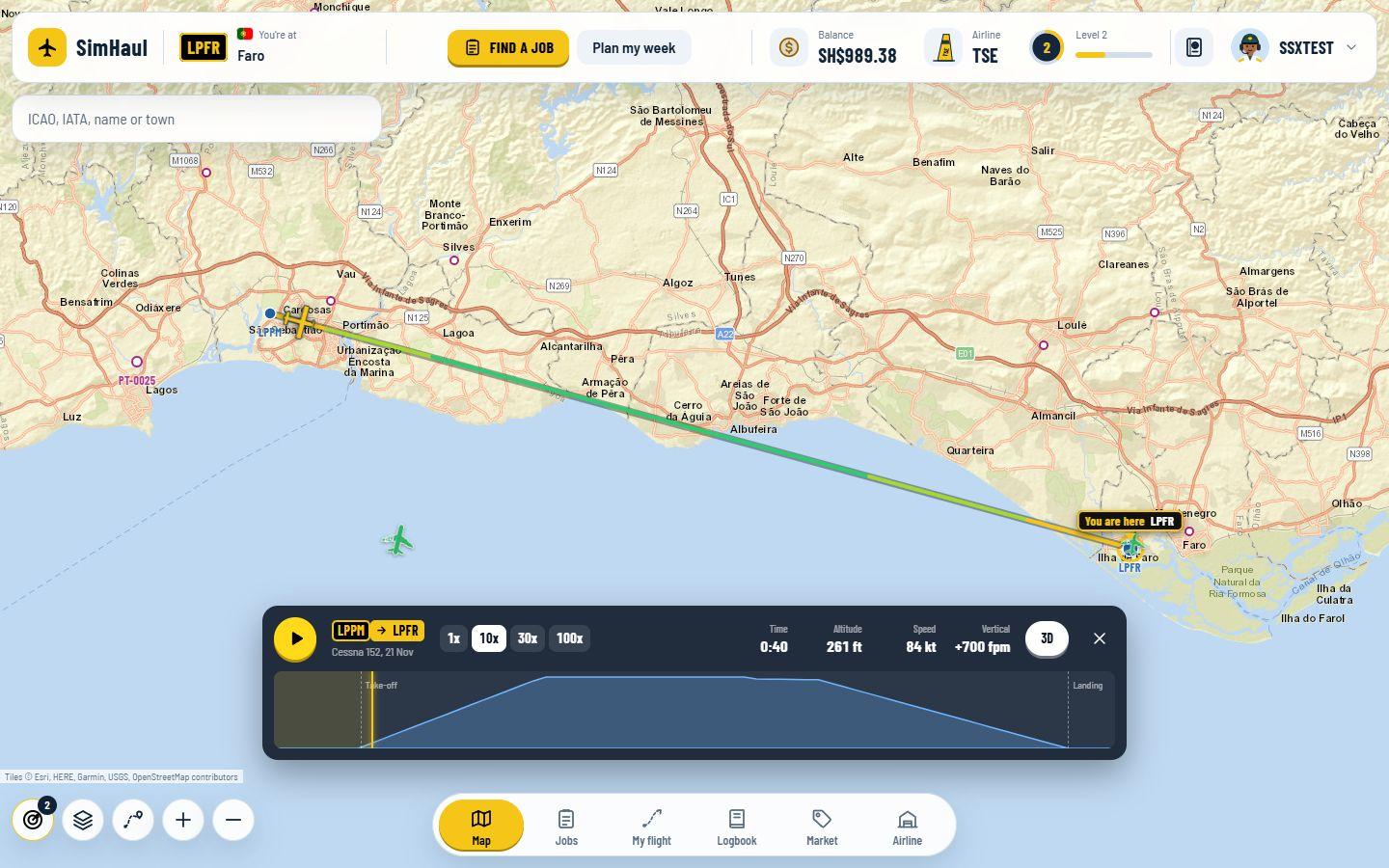
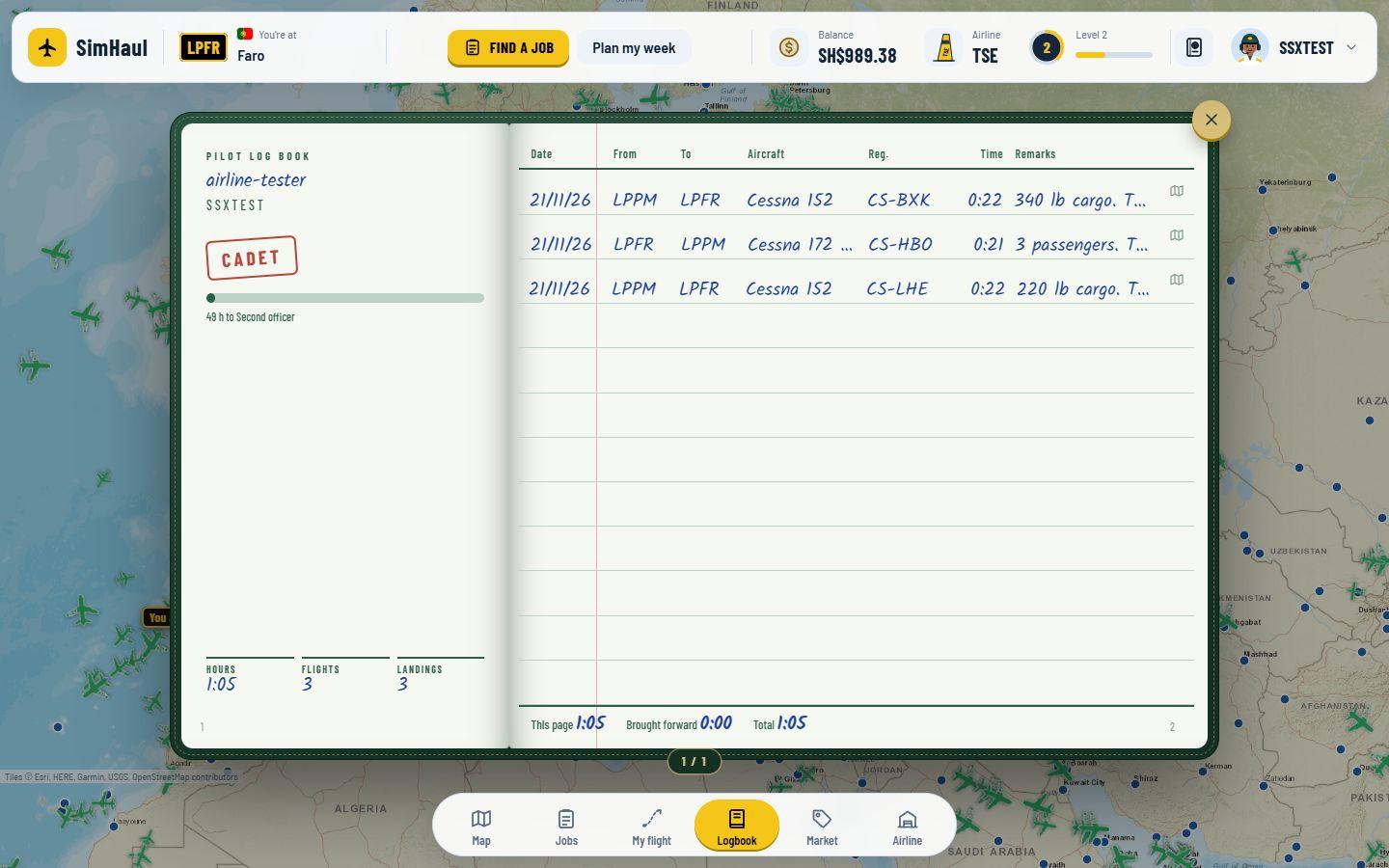
The flight recorder follows the whole flight, scores the landing and files it for you. A paper-style pilot logbook fills itself in.
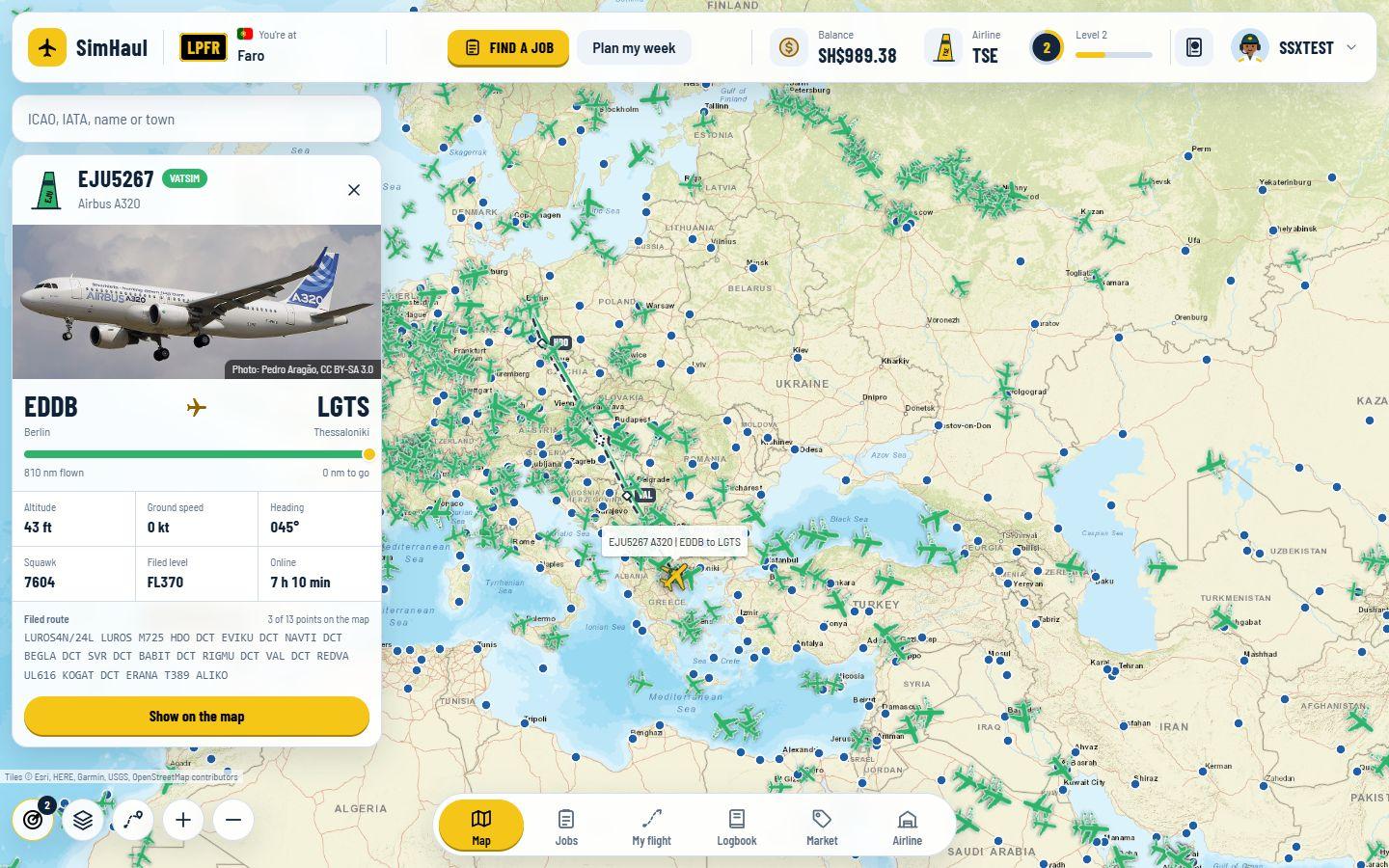
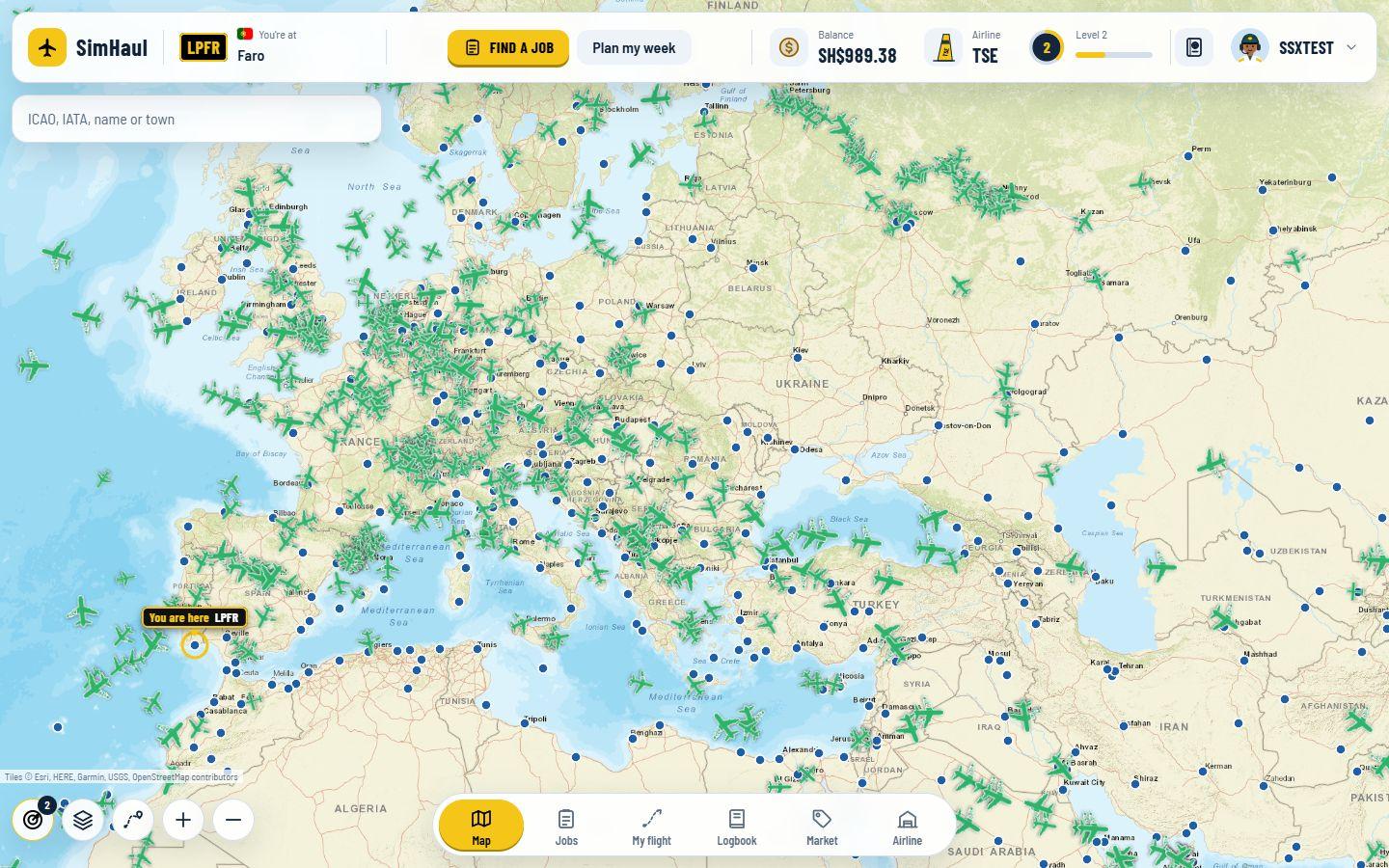
See other SimHaul pilots where they are, and switch on live VATSIM and IVAO traffic. Click any plane for its flight card: the airline, the aircraft with a real photo, its filed route, altitude and speed.
AHow a flight works
Parcels, passengers, medicine, sightseeing, charters. Over 300 kinds of mission at about 86,000 real airports, from grass strips to hubs.
Choose one that fits the load and the runway, plan the fuel, and buy it at the price on the day.
Fly in MSFS or X-Plane with the small SimHaul flight recorder running. It follows the flight from engine start to parking.
Land, park and your pay arrives, scored on the landing, the speeds and the time. The flight goes in your logbook.
BThe platform
Fly whatever you like, wherever you like, and get paid for it. The more you fly, the more you can do: new licences, your own aircraft, your own airline. Everything runs on one shared economy, so what you spend and earn is the same for every pilot.
There are no fixed routes. Pick an aircraft, pick a destination and go. Every flight earns in-game money, so your career keeps growing even on a day you only wanted to explore.
Sign on with a real airline and fly its flights for a wage that rises with your rank. Or fly your own or rented aircraft and keep what is left after fuel and fees. Every hour you fly counts towards new licences.
Light singles are free from day one. Bush planes, helicopters, seaplanes, multi-engine piston, turboprops, light jets and airliners open up as your hours grow, each bought at the flight school. Airline flights need no licence.
Fuel costs different amounts at different airports, close to real retail prices, and each price drifts a little from one day to the next. Where you fly, and where you fill up, changes what a flight earns.
The market lists used planes at real airports and new ones at the makers. Buy a plane, keep it checked and repaired, then sell it when you fancy something bigger.
Found an airline, take a bank loan, buy a fleet and bring in other pilots. Give each person a role (owner, manager, dispatcher or pilot) so they can do just what you want them to.
Set a goal of a week or a month and how many flights a week. SimHaul plans a chain of real jobs where each flight starts where the last one landed, so you never have to think about where to go next.
A plain walk through jobs, airlines, licences, fuel prices, aircraft and schedules.
Free forever, with no subscription. Your career is persistent: your pilot, money, aircraft and logbook are always saved. Available for Windows, macOS and Linux, and works with MSFS 2020 and 2024 and X-Plane 11 and 12.
Free to play, with no subscription and no in-game purchases.
Runs next to your sim
A small app that runs next to your simulator and files each flight when you park.
The launch, how to get started, and why a career mode makes flying more fun.
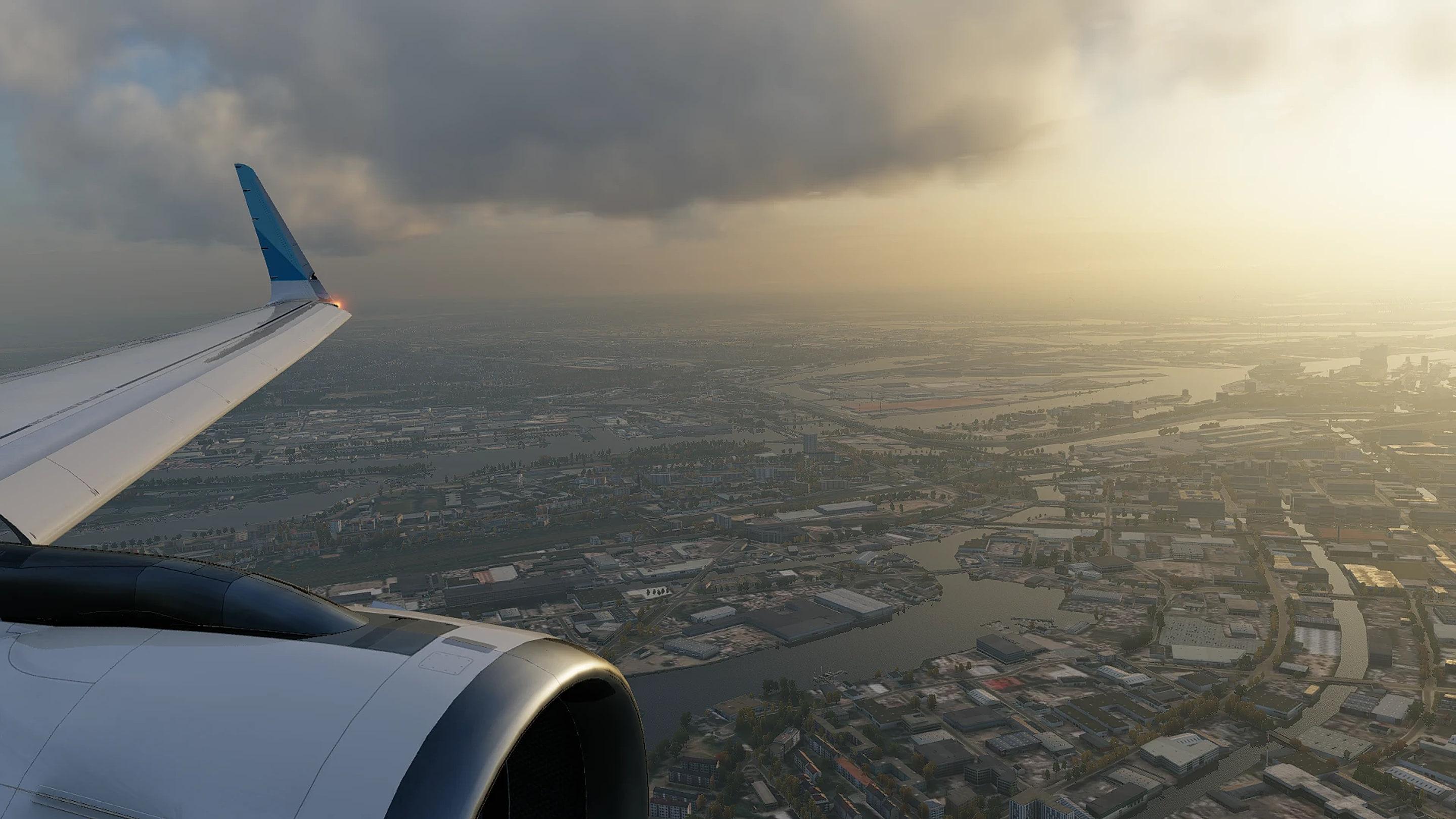
SimHaul has launched. It is a free career mode for MSFS 2020, MSFS 2024 and X-Plane 11 and 12, with jobs at about 86,000 airports, real airline routes and a logbook that fills itself in.
Read the postA plain explanation of how the SimHaul flight sim career works: fly any aircraft anywhere, earn from jobs and airlines, unlock licences, watch fuel prices, trade aircraft, build an airline and plan your flights.
Read the postA tour of what SimHaul does at launch: 300 kinds of mission, real airline routes, ACARS flight tracking with server-checked scoring, a paper-style logbook, a live map with VATSIM and IVAO traffic, and 3D replays.
Read the postWe want SimHaul to become a tool every flight simmer uses, and what you ask for shapes what comes next.
Follow the first flight guide: make a pilot, install the recorder, pick a job and get paid.
Missing a mission, an aircraft or a screen? Tell us what you would like to see next.
CQuestions
Quick answers about simulators, computers, jobs, scoring and your data. Not here? Write to hello@simhaul.app.
SimHaul is a free career mode for flight simulators. You take a job at one of about 86,000 real airports, fly it in Microsoft Flight Simulator or X-Plane, and get paid when you park. Your flights go into a pilot logbook, and over time you can rent aircraft, take loans and found your own airline.
Yes. SimHaul is free to play, with no subscription and no in-game purchases, and your career data stays saved on your account. In-game money has no real value and cannot be bought or sold.
Both, in a way. The career, the jobs and the economy live in the browser game at fly.simhaul.app. To fly a job in your simulator you also install the small SimHaul flight recorder, which runs next to the sim, follows the flight and files it when you park.
SimHaul is made by ScalePlant, a software studio. It is not affiliated with Microsoft, Laminar Research or any airline.
Yes. SimHaul has no fixed routes. You pick an aircraft, pick a destination and fly, and every flight earns in-game money. The aircraft you can fly as pilot in command depend on your licences, which open up as your hours grow.
Over 300 kinds of mission, written for the place they start from: parcels and newspapers to an island, medicine to a clinic, passengers, sightseeing, charters and bush flights. Every airfield has its own job board.
The flight recorder follows the flight from engine start to parking. The landing, the speeds, the fuel and the time are then checked on the server, and your pay depends on the result.
You earn from jobs on the job boards, from wages when you fly for an airline, and from your own aircraft or airline. The money is in-game only. It has no real-world value, and it pays for rentals, fuel and, later, your own aircraft and airline.
You never have to join one. You can fly freelance, sign on with real airlines to fly their real routes on their real schedules for a wage that grows with your rank from cadet to captain, or found your own airline and invite other pilots. Airline flights need no licence, because the airline trains its crews.
Yes. Choose a plane that fits the load and the runway, plan the fuel and rent or buy it at the price on the day. The aircraft market lists used planes at real airports and new ones at the makers, so you can keep a plane checked and repaired, then sell it when you want another. What you keep is what is left after fuel, fees and upkeep.
Light single aircraft are free from the start. Bush planes, helicopters, seaplanes, multi-engine piston, turboprops, light jets and airliners each need a licence, bought at the flight school once you have flown enough hours. The hours you fly in SimHaul count towards them.
Yes. Fuel is priced close to real retail prices and differs from airport to airport and country to country. Each price drifts a little from one day to the next, and everybody pays the same at the same airport on the same day. Some airfields sell no fuel at all.
Yes. Found an airline, take bank loans for it, buy a fleet and invite other pilots. Each member has a role, such as manager, dispatcher or pilot, and each role decides what they are allowed to do.
Yes. Choose a week or a month and how many flights you want to fly each week, and SimHaul plans a chain of real jobs where each flight starts where the previous one landed. You can ask for a different route, limit it to passengers or cargo, set the longest leg, plan for a particular aircraft, or end back home. If you miss a flight it goes back on the schedule, and after the third miss of the same flight the schedule closes.
Microsoft Flight Simulator 2020 and 2024 on Windows PC, through SimConnect, and X-Plane 11 and 12 on Windows, Mac and Linux, over the simulator's own data link. MSFS does not run on a Mac, so on a Mac you fly with X-Plane. You can use SimHaul alongside the built-in career mode in MSFS 2024.
Not yet. The flight recorder needs a Windows, Mac or Linux computer next to your simulator.
SimHaul works with any aircraft and any airport. You pick the aircraft you fly, so the planes you already own and enjoy still count.
The Mac app is not notarised by Apple yet, so the first time you open it, right-click it and choose Open. On Windows, SmartScreen may ask you to confirm with "More info", then "Run anyway".
Yes. SimHaul reads logbook files from Volanta, Little Navmap, SimToolkitPro and myFlightbook, and detects which one you used. It also reads any other CSV or JSON file with a date, the two airport codes and the flight time, such as an export from smartCARS, phpVMS or a spreadsheet, and you can match the columns by hand. You get a preview before anything is saved, and the flights then appear in your logbook marked, for example, "Imported from Volanta".
In the Volanta desktop app, open the cog at the bottom left, then Data Import/Export. In Little Navmap, use the Logbook menu, then Export CSV. In SimToolkitPro, open My Logbook and use Export CSV at the top right. myFlightbook lets you download your logbook from its website as a CSV. The MSFS logbook has no export, but tools such as FlightLog Analyzer can read it and save a CSV for Little Navmap or Volanta, which SimHaul can import.
There is no dedicated import for them yet. If you can get your flights out as a CSV with a date, the departure and arrival airports and the flight time, the generic import can read it. Money, aircraft and companies from those platforms do not carry over, because SimHaul has its own economy.
Imported flights are history. They fill your logbook but never count towards licences or ranks. The first time you import, you can also choose a one-off welcome award of SH$40 for each hour of imported flying, up to SH$25,000, or start fresh with the history only. That choice is made once, for good.
Flights with no time, a date in the future, flights longer than 20 hours or faster than Mach 1 on average, duplicates, and days with more than 24 hours of flying are shown in the preview but not counted. Flights you have already imported are recognised, so importing the same file twice does not double them. A file can hold up to 5 MB and 20,000 flights, which fits a ten-year Volanta history. For a bigger one, import it in parts.
Yes. Plan the flight on SimBrief, enter your SimBrief Pilot ID or username in SimHaul, and the game shows a short summary of the plan with SimBrief's own links to file it on VATSIM and IVAO.
Yes. Every flight is filed automatically in a logbook laid out like a paper EASA logbook, and a passport collects a stamp for each country you fly to. Your own flights can be replayed on the map in 2D and 3D, with the vertical profile and speed along the bottom.
Yes. The live map shows other SimHaul pilots and can show live VATSIM and IVAO traffic. Click any plane for its flight card, with the airline, aircraft, filed route, altitude and speed.
No. SimHaul is a separate career that works with any aircraft and any airport, keeps a shared economy with other pilots, and also works with X-Plane. You can use it alongside the built-in career mode.
Like them, SimHaul gives your flights a reason and an economy. It adds real airline routes you can fly for a wage, a paper-style pilot logbook, a live map with VATSIM and IVAO traffic and 3D replays of your own flights. If you already track flights in Volanta, Little Navmap, SimToolkitPro or myFlightbook, you can import that history into your logbook.
Your account details, your pilot and the flights the recorder sends, so they can be scored and replayed. There are no ads and no tracking cookies, and the privacy page lists everything in full. To see, correct or delete it all, email privacy@simhaul.app from the address you sign in with and it is done within 30 days.
Email hello@simhaul.app with what you would like to see or what went wrong. Requests for new missions, aircraft and screens are welcome.